Month: April 2016

MakerEd Infographic

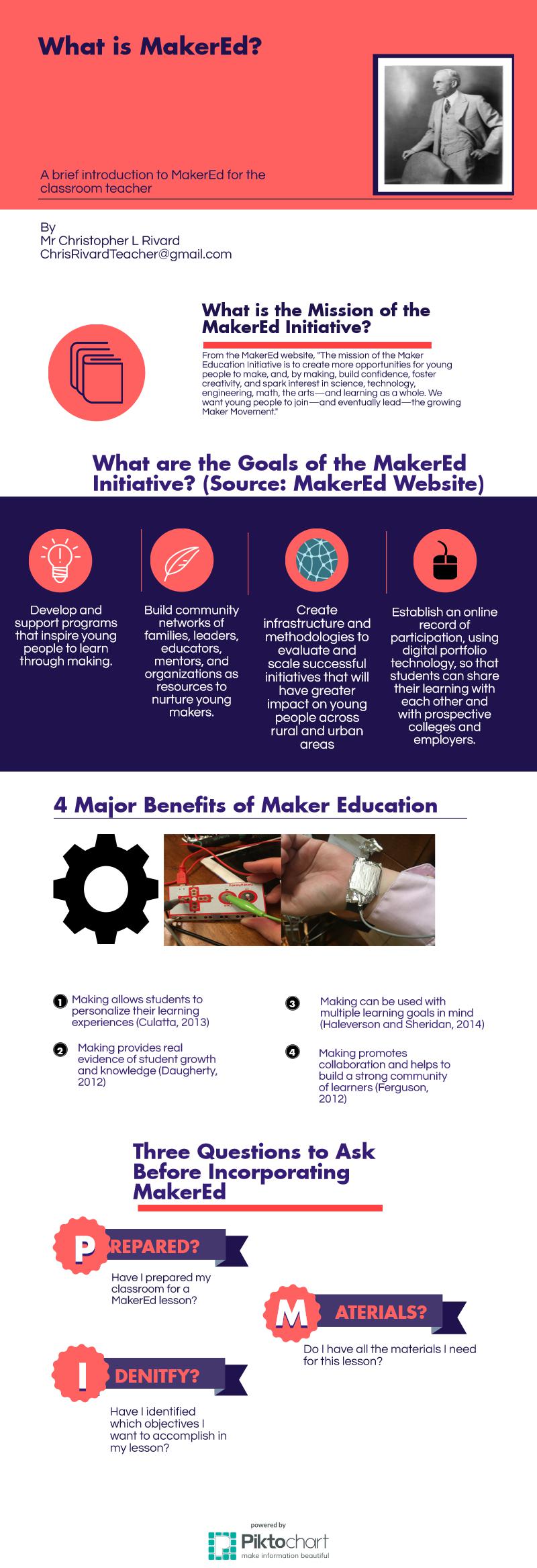
This week I was tasked with making an infographic on Maker Education. As I have been taking this course, I have found that teachers I associate with are unfamiliar with the term “Maker Education”. They do not understand what the mission or the goals of the Maker Education movement are. Furthermore, they have trouble seeing the benefits. For these reasons, I chose to make my infographic an explanation of what Maker Education is. It includes some basic information, the benefits of Maker Education, and some important questions to ask before doing a Maker Education lesson. Without further ado, here is my infographic.

MakerEd Inforgraphic

Sources

Culatta, R. (2013). Reimagining Learning: Richard Culatta at TEDxBeaconStreet.
TED Talks.

Dougherty, D. (2012). We are makers. TED Talks.

Ferguson, Kirby. (2013). Everything is a Remix. http://everythingisaremix.info/about/

Halverson, E.R. & Sheridan, K. (2014). The Maker Movement In Education. Harvard Educational Review

Redesigning Learning Spaces

I teach at Holy Redeemer Grade School in Southwest Detroit. It is one of the oldest schools in the city. The building I am in is 116 years old! The age of the building has presented me with some infrastructure issues.

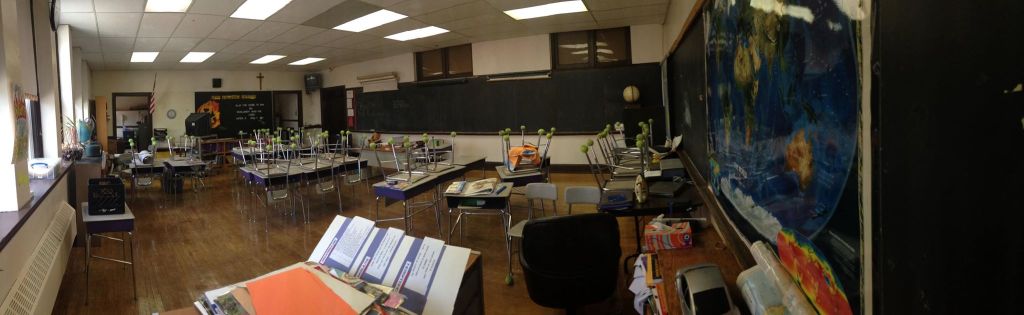
When I entered my room for the first time last year it looked like this.

Original Room

The front of the room was on the windowed wall opposite me in the photo. My room is 24×40 feet. I rearranged the chairs into a u-shape and kept the front of the room on the longer wall. I added a projector screen and modernized the classroom. I loved this set-up and it worked very well.

In the spring of 2015 however I was gifted with a SMART Board. I was very excited to use this SMART Board but it presented me with some problems. Due to the windows on the longer wall, I was unable to attach the SMART Board to that wall. On the wall where the cross is, there is now power. The only option I had was to place my SMART Board on the western wall and make that the front of the room. My room transformed into this.

My Class Before

Using rows has proved problematic. As Colleen Lee pointed out, this set-up is teacher focused. It tells students that learning can only come from the teacher.Collaborative learning was an afterthought in this set-up. The students are too separated to work effectively together in teams. Another major problem was the lack of space. All of the desks were jammed in tight. I was not able to walk around freely. The last major problem with rows is that this creates a back of the classroom. My children are not easily able to see over each others heads.

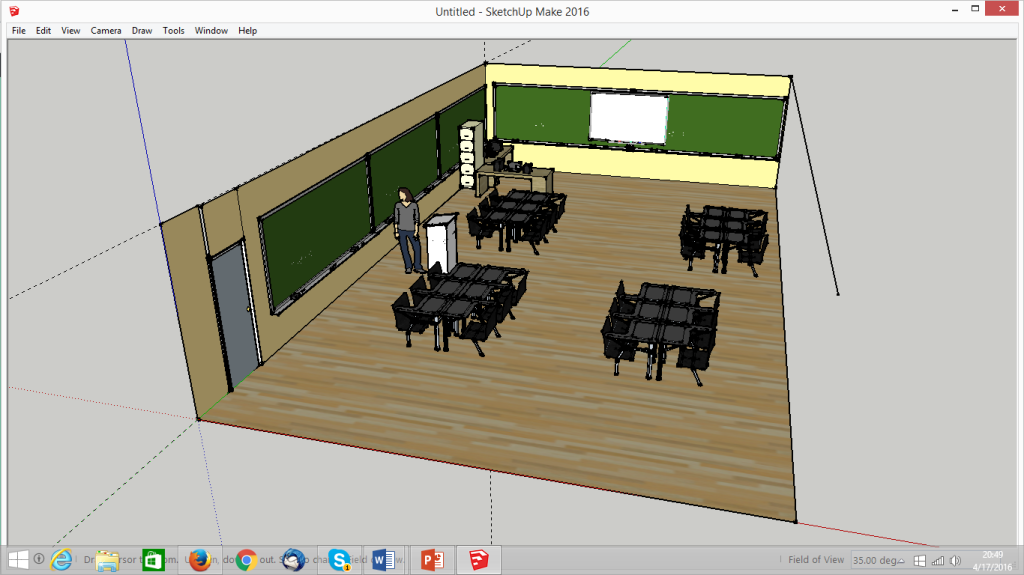
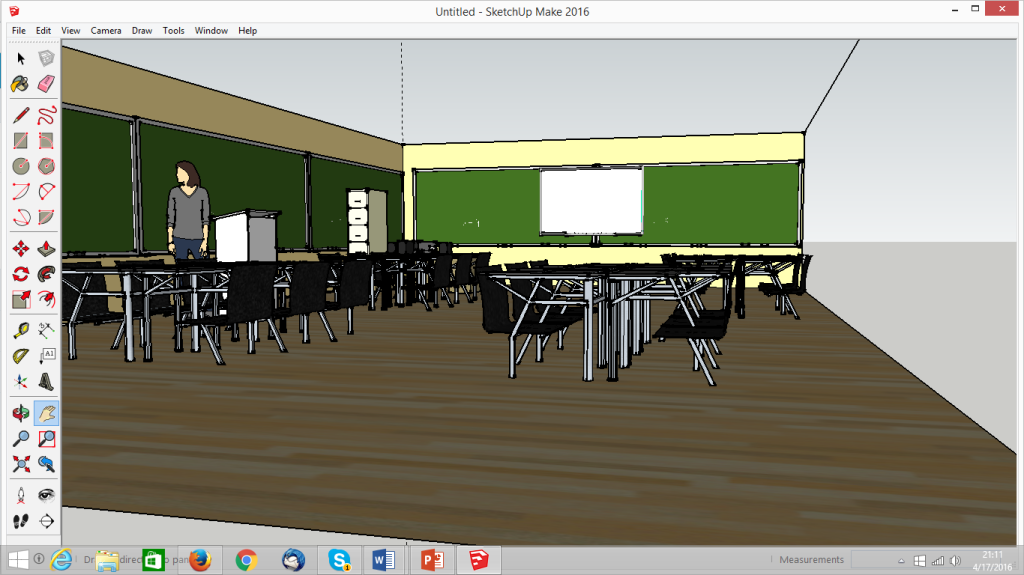
For my Learning Space I want to redesign my classroom with three rules in mind. First, my classroom must have an open floor plan.Second, my classroom must not have a designated front and back of the room. Third, my classroom design will tell students that education is an experience that comes from both the teacher and the student. To incorporate these rules, I came up with the following design in SketchUp.

Screenshot (6).png

I have placed all of my desks in pods. As Lee points out, this style of design shifts learning from the teacher to a collaboration between teacher and student. To make sure there was no impaired view, I have made the pods slightly off center of each other.

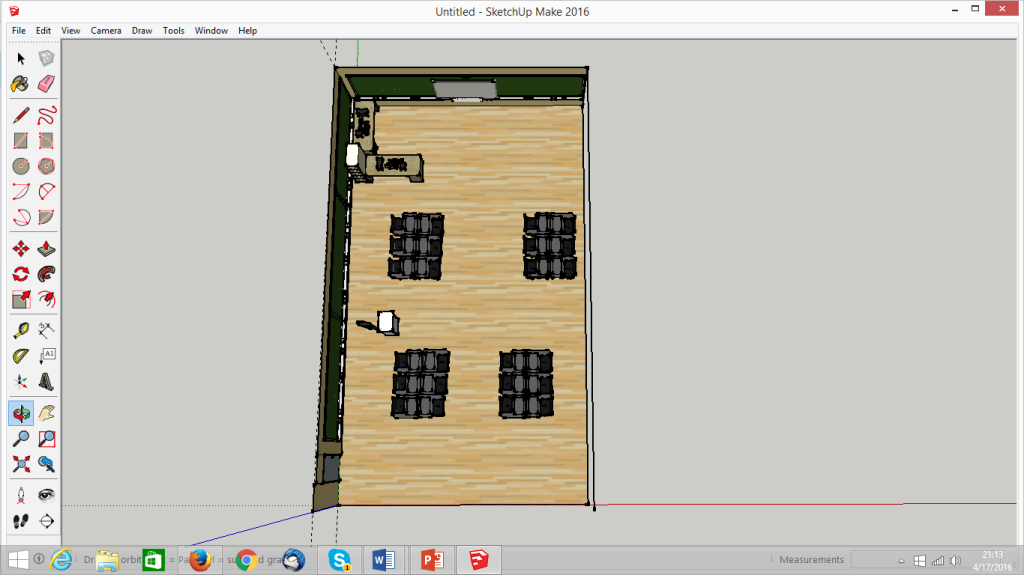
Screenshot (7).png

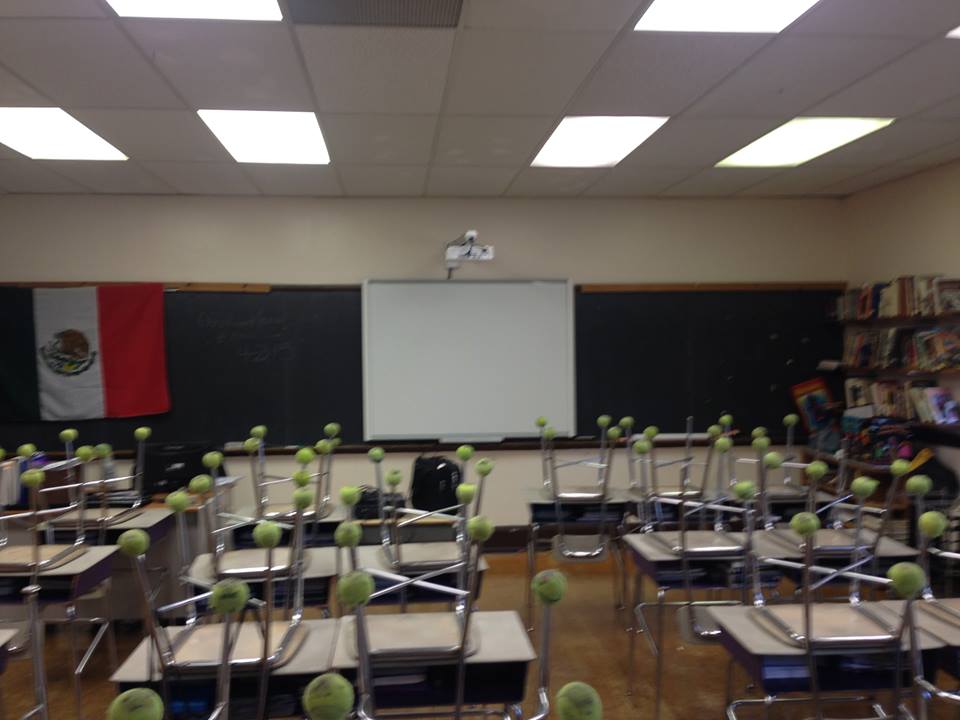
Arranging these pods off center guarantees a good view of the board for each of my students. This new set up has also created far more walking space, making my room appear larger and more open.

Screenshot (9)

As you can see from the above photo, I have also moved my podium. I have made it so there is no defined front of my room. I can guide the kids in instruction from my podium or go through a multi modal lesson on the SMART board. I also use a wireless keyboard and mouse so that I can use the SMART board from anywhere in the room.

SketchUp gave me the design ideas. I went one step further and actually implemented this design into my classroom. The only resources I really needed were the desks and the wireless keyboard and mouse. Since I had all of these materials, this design cost nothing to implement except time.

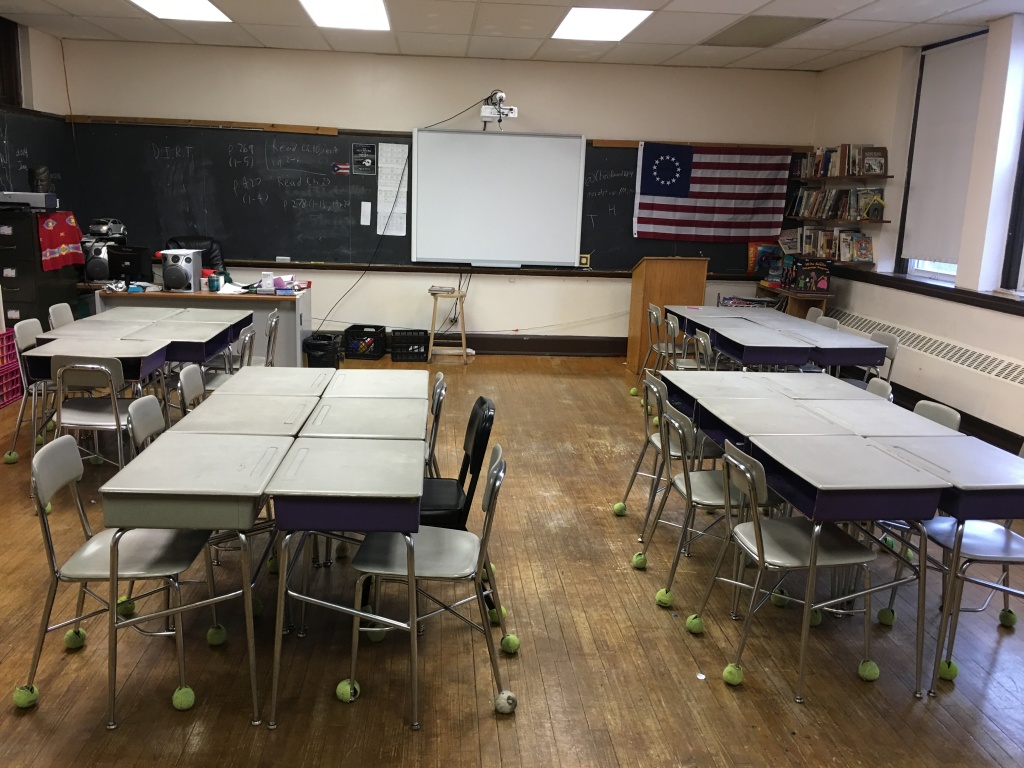
To implement this successfully, I waited until Friday afternoon. On Fridays, my kids empty their desks and put their stuff in storage for the weekend. As the desks would be empty, this would be a perfect time to move them around. For twenty minutes after school, I moved the desks around to create these seating pods. The picture below was taken after I moved the chairs but before I moved the podium. Admittedly, I did not have that idea until after I began moving things around.image(1).jpeg

After one week of use, my design has successfully implemented my three rules.The class is more open, learning is more focused on collaboration between teacher and student, and I have eliminated the idea of a front and back of the room. So far the students have responded well to this change. We will see how this goes through the rest of the year.

Resources

Lee, Colleen. (2014).What Your Classroom Setup May Be Saying to Your Students. School Leadership 2.o.

Makey Makey Lesson Plan

Topic for the Lesson: The North v. the South

Grade Level/Course: 8th Grade American History

Unit: The Road to the Civil War

Michigan Education Standards:

  1. 8-U4.2.2 – The Institution of Slavery– Explain the ideology of the institution of slavery, its policies, and consequences.
  1. 8 – U4.2.1 – Comparing Northeast and the South – Compare and contrast the social and economic systems of the Northeast and the South with respect to geography and climate and the development of Race Relations

Standards

Goals/Objectives for this Lesson:


  1. To Understand how the country divided itself when it came to the issue of slavery.


  1. To Understand how the issue of slavery led to the Civil War


Assessment Tools: A quiz will be given at the end of the lesson to determine how much information they retained.

Structure:

Pre-Lesson: Life in the North and South Students will be asked to read Ch. 14 in the text book for homework. This chapter covers the differences between North and South in the lead up to the Civil War. Time: 24 hours
Initiation/Opening : Teacher’s Activities

In front of the SMART Board/Projector will be the Makey-Makey Kit, covered up and out of sight. The teacher will use their SMART Board/projector to display two images side by side. A portrait of Abraham Lincoln and a portrait of John Tyler. The teacher will ask the students to identify who these two men are. The teacher will guide the students into realizing that Abraham Lincoln is an embodiment of the North and John Tyler is an embodiment of the South.

Student Activities: Students will identify the two historical figures and discuss what they know about them with the teacher. They will be guided to understanding who each president was more representative of: The North or the South Time: 20 minutes
Teacher’s Activities: As the students wind down their conversation, the teacher will unveil the Makey-Makey Kit. Attached to the kit will be two presidential coins. Attached to the left arrow will be an Abraham Lincoln coin. Attached to the space bar will be a John Tyler coin. The kit will be attached to a laptop with the website http://makeymakey.com/bongos opened up. Each touch of the coin will make a distinct, unique sound. The teacher will demonstrate which president makes which sound. On the screen there will be a PowerPoint display asking a series of questions with only two answers: North or South. The teacher will ask for a volunteer to come over to the MakeyMakey Kit. The volunteer will wear the Earthband. The teacher will switch out volunteers every few questions. As they answer the questions, the teacher will move forward in the slide show to compare the classes answers to the actual answers. The teacher will lead discussions on why the correct answer is the correct answer.  The student volunteer will poll the rest of the class to decide how to answer each question. The volunteer will answer accordingly. Several volunteers will be utilized in this process. Students will discuss right and wrong answers with the teacher. Time: 50 Minutes
Closure: The teacher will lead discussions on the answer the students chose. The students will be given a quiz with similar, but not identical questions. The quiz will serve as an exit card The teacher will compare their quiz answers with the answers they gave in class. Students will take a quiz as an exit card for class. Time: 20 minutes


Materials needed:

  1. 1 Smart Board or Projector
  2. 1 Makey-Makey Kit
  3. 2 Presidential $1 coins; one of Abraham Lincoln and one of John Tyle
  4. Two computes
  5. One PowerPoint slideshow
  6. 25 Quizes
  7. 1 Wrist Band
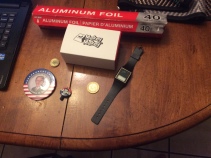
  8. Aluminum Foil

Instructions to be utilized:

  1. Cooperative Learning
  2. Discussion

Rationale for this Lesson Plan:

The purpose of this lesson is to give students a way to physically interact with history and understand symbolism through the use of Presidents Lincoln and Tyler as symbols of the North and South. It is very easy to teach a history lesson using just a PowerPoint. As Culatta points out, this is simply digitizing the old methods of teaching. I seek rather to transform this method into an interactive game.

The students that will experience this lesson are ESL students. Very few of my students have a mastery of the English language. It is hard for them look at words in a textbook or on the board and see meaning. By giving them a visual object in the form of a coin I hope to increase their awareness of history. This idea is based on the Cognitive Theory of Multimedia Learning (CTML) proposed by Richard Mayer. CTML states that words and pictures enter the brain in separate chunks. These chunks then integrate with prior knowledge in the long-term memory to create an idea that learners can remember and recall.  This theory was tested on ESL students in Taiwan by Kuo, Yu, and Hsiao. Their research indicates that multi-modal lessons improves the average test scores of their ESL students.

By using these methods I hope to make history come alive for my students. This lesson will serve as a tester for my concept. The coins I am using as buzzers are easy to swap out for other historical objects. I have tested this method out with a few diverse students at lunch time. They have greatly enjoyed it so far. I plan on using this with my class next week and gain a full understanding of the success of this.

References

Kuo, Fang-O, Pao-Ta Yu and Wei-Hung Hsiao. (2013). Develop andEvaluate the Effects of Multimodal Presentation System on Elementary ESL Students. Turkey. Turkish Online Journal of Educational Technology, Volume 12, Number 4.

Mayer, R. E. (2001). Multimedia Learning. New York: Cambridge University Press.

Directions for Creating the Coin Buzzers

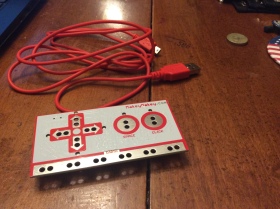
  1. Purchase a MakeyMakey
    image_1
  2. Find a wristband, some aluminum foil and the coins you want to use. For my wristband, I used an old watch.
    image
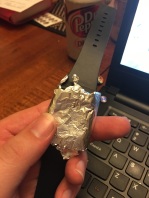
  3. Wrap the watch in the Aluminum Foil
    Wristwatch in Foil
    By doing this, you have successfully created an Earthband.
  4. Connect the MakeyMakey to a laptop by plugging one end of the red USB cable into the MakeyMakey Kit. Plug the other end into a laptop.


  5. Attach one end of an alligator clip to the left arrow key on your Makey Makey. Attach the other end to your first coin. Attach a second alligator clip alligator clip to the space button on your MakeyMakey. Attach the other end to your second coin.
  6. Place the Earthband around your wrist with the aluminum foil touching your veins on the underside of your wrist.Connect an alligator clip to the aluminum foil on your Earth band. Connect the other end of the alligator clip to the part of your MakeyMakey labeled Earth.
  7. Using the computer hooked up to your MakeyMakey, please go to http://makeymakey.com/bongos .
  8. Each coin will now make a distinctive sound when pressed. These will serve as buzzers. You are ready to go with the buzzer set.

Directions for Making the Quiz

A Note Before Continuing

Just like all things in education, there is no one way to make this quiz. I have chosen to use Powerpoint as it is a simple system. You may choose to do this differently. Some programs you could use are Prezi, SMART Notebook, or even word itself. These directions will be for Powerpoint.

  1. Find the questions for your quiz. Each question will be multiple choice. The only options will be North or South. Listed below are some example questions you may ask in this quiz.

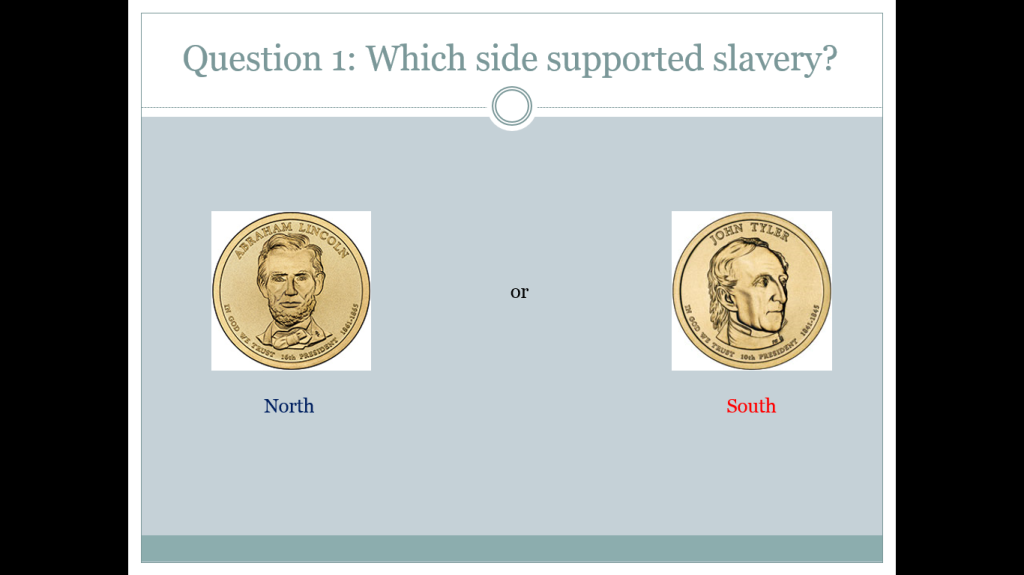
    – Which area of the country supported slavery?
    – Which area of the country was more industrialized?
    – Which area of the country relied on cotton?
    – Which area of the country had more people living in cities than on farms?
    – Where was the Democrat party stronger?

  2. Make a PowerPoint. This is a two part step. First, type the question you want ask in one slide. Make sure to include the answer choices.

    Screenshot (4)

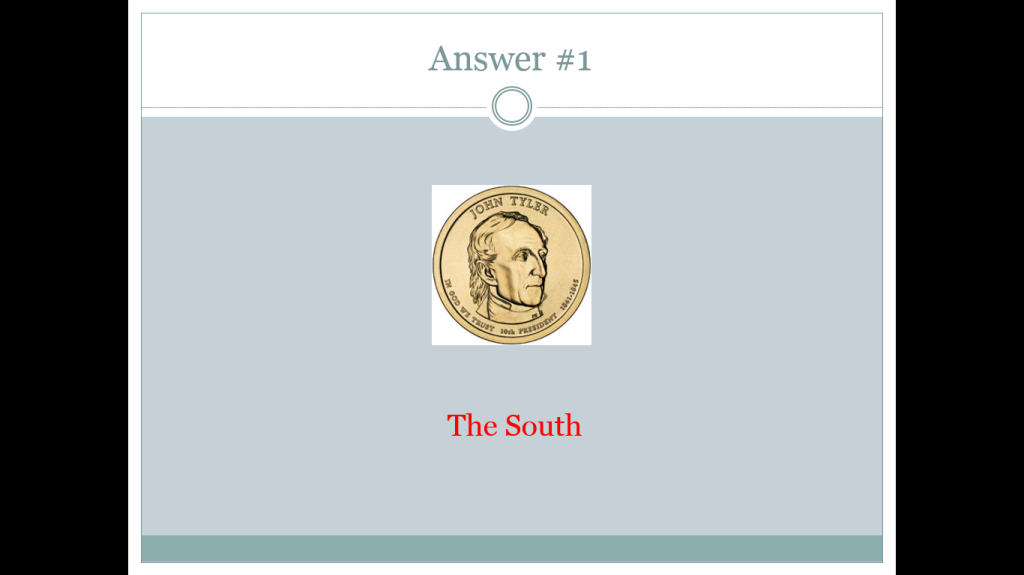
    On the next slide, provide the answer.
    Screenshot (5)

Congratulations, you have successfully prepared for this lesson. Goodnight, and Good Luck.

Using Personalized Learning to Overcome Problems in Education

Richard Culatta identified three major problems with education in his TEDX talk. First, educators tend to treat all learners the same despite their own unique needs and challenges. Second, educators will keep the schedule consistent regardless of the length of time that a class requires to learn. Third, the performance data we gather comes too late to be useful to children. One of the solutions offered to these challenges is to implement personalized learning.

Every student learns differently. This is one of the first principles taught in TE-150. It is foolish to think otherwise. Why is it then that we treat all of our classes the exact same? In the post No Child Left Behind world it is easy for an educator to find themselves too focused on test scores. This is especially prominent in private schools.

At a private school, standardized scores can be the determining factor in whether or not parents trust a school with the education of their children. A private school the writer of this blog previously worked at emphasized test scores above all else. In the months leading up to the IOWA test, educators were supposed to prep for the test while still covering the curriculum. As time was an issue, lessons were moved through very fast. Students were left behind and teachers were too pressed for time to personalize their learning experience. As a rookie teacher, it was very overwhelming. Sam Redding offers a solution to this problem.

In his article Through the Student’s Eyes: A Perspective on Personalized Learning and Practice Guide for Teachers, Sam Redding offers solutions and guides. Redding argues that the personal aspirations and self-efficacy perceptions of a student drive their motivation to learn. The words and actions of a teacher decide how receptive students can and will be. Therefore, it is up to the teacher to use their words and actions in a personalized way to reach each student. Setting individual goals for the students helps them to take ownership. To achieve these ends, Redding has created several lesson planning templates to use in the classroom. These templates are simple and allow a teacher to easily personalize their lesson plans. By guiding the teacher to achieving personalization, Redding has given relief to the overwhelmed teacher. (Redding 2013)

While Redding supports personalized learning, he does not advocate using technology in the classroom. Redding believes that an over reliance on technology can be problematic for a student. While he offers many helpful solutions to educators, Redding is also an example of the learning divide that Culatta identified. In his writing, Redding believes that technology should only be used as a complementary aid, not as a main teaching tool. In this way, Redding seems to only digitize education, not reimagine it. (Redding 2013)

In order to re-imagine learning, we must adapt technology for the needs of the individual student while keeping the overall class goal in mind. Re-imagining is not necessarily easy. In Assembling Learning Objects for Personalized Learning: An AI Planning Perspective, Antonio Garrido and Eva Onaindia examine the process a teacher must follow to successfully re-imagine personalized learning for the computer. Garrido and Onaindia argue that the tools to develop a course are not hard to find. However, they feel that these tools are rarely suited to be reused and must be unique to every situation. In order to personalize e-learning, the educator must first identify which learning objective they want to achieve. From there, the educator can develop several different education paths for a student to follow. Garrido and Onaindia believe that is acceptable for a teacher to begin with one program from the class and then slowly change it to match the needs of the individual students. They offer their own methods and ideas on how to do this in their guide. (Garrido and Onaindia 2013)

Using these two guides, teachers can begin to adapt their classroom for personalized learning. By breaking down the problems and offering simple guides and solutions, these academic papers allow educators to begin to overcome the learning divide in technology. As teachers become more comfortable with re-imagining technology, personalized learning can be used to overcome the problems identified by Richard Cullata.

By reading these articles, one should realize that personalized learning is not an impossible goal. More importantly, there is no one approach to personalized learning. Redding, Garrido, and Onaindia are makers. They each took the concept of personalized learning and transformed it for the environments they teach in.While these guides can be used to help a teacher adapt their curriculum to personalized learning, they should not be regarded as the absolute end of transformation. As a maker, educators must continue to transform the ideas of others in order to make it fit in their classroom with their kids. As long as we practice transformation, we can not only bring these new ideas into our classroom, we can make them work. The questions is, will you continue practicing transformation? Will you remix personalized learning into your own teaching style? Will you instead just digitize the learning? The choice is yours.

References:
Garido, Antonia and Eva Onaindia. (2013). Assembling Learning Objects for Personalized Learning: An AI Planning Perspective. IEEE intelligent systems, Volume 28, Issue 2. Retrieved from Serial Solutions

Redding, Sam. (2013). Through the Student’s Eyes: A Perspective on Personalized Learning and Practice Guide for Teachers. Center on Innovations in Learning, Temple University. Retrieved from ERIC